
How Do I Activate WinZip Malware Protector?
Enter your license key to unlock malware removal in WinZip Malware Protector.
Open WinZip Malware Protector, select the Register Now tab in the top-right corner, paste your license key and select the Register Now button. After that, you can remove the malware the program finds.
Before You Start
- Have your license key ready. It is in the order confirmation email you received after your purchase. If you cannot find it, request your order history on the Lost Your License Key page.
- Make sure your computer is connected to the internet.
Activate WinZip Malware Protector
- Open WinZip Malware Protector on your PC.
- Select the Register Now tab in the top-right corner of the program window.
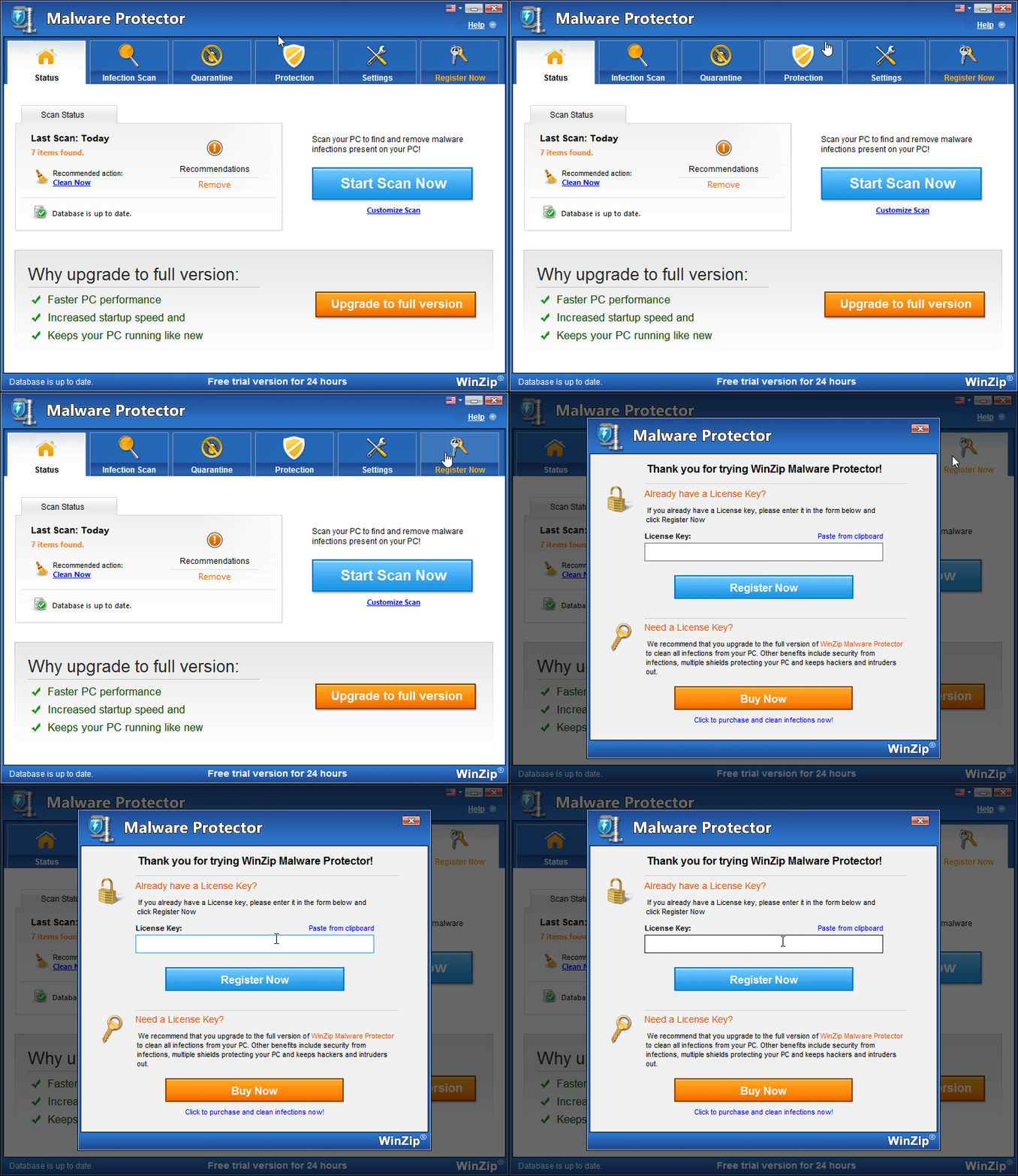
- Copy your license key from your order confirmation email.
- In the registration window, paste the key into the License Key box. You can also select Paste from clipboard.
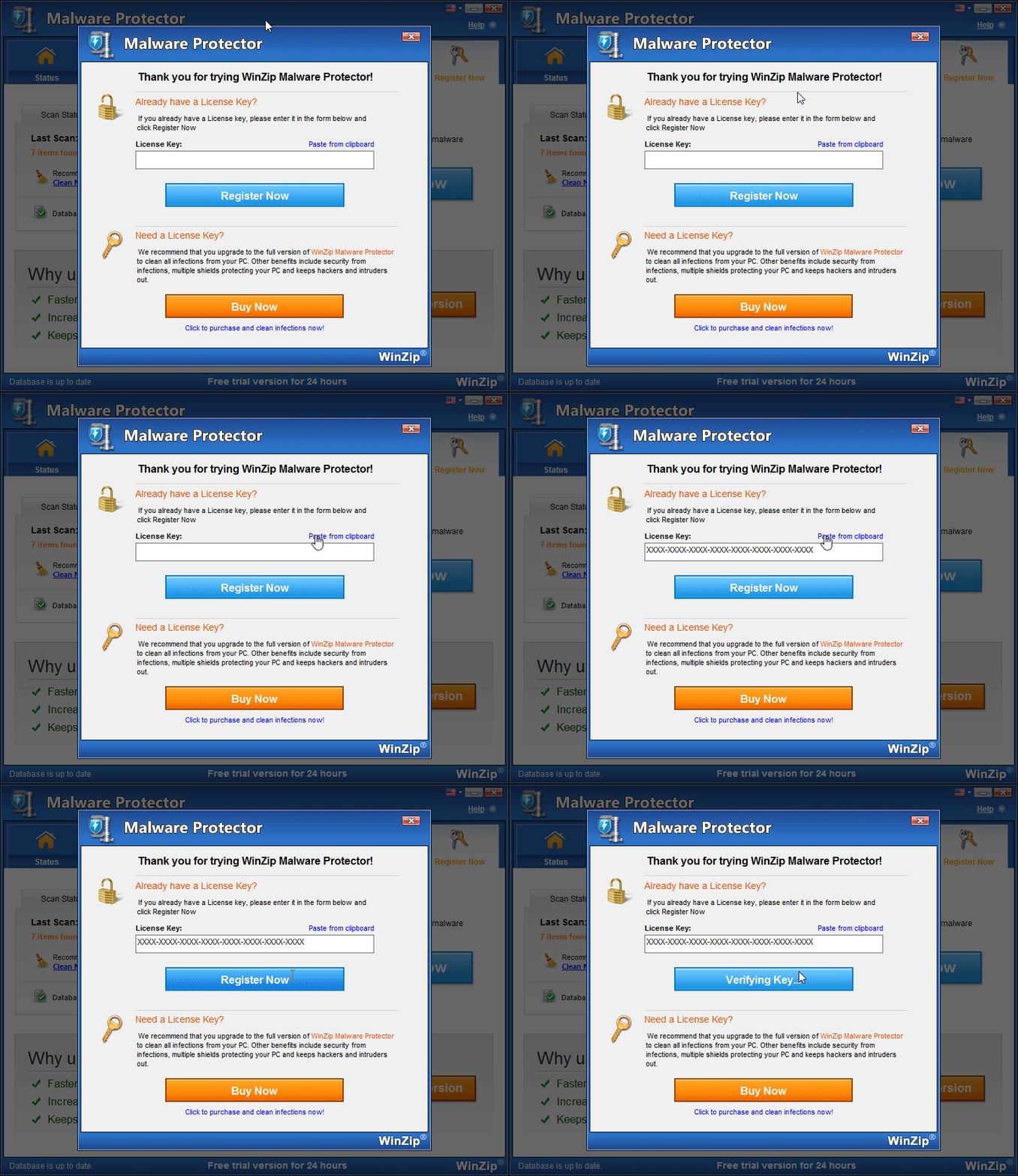
- Select the Register Now button.
How to Tell It Worked
The Register Now tab is no longer shown, and the Status tab says Thank you for upgrading to full version.
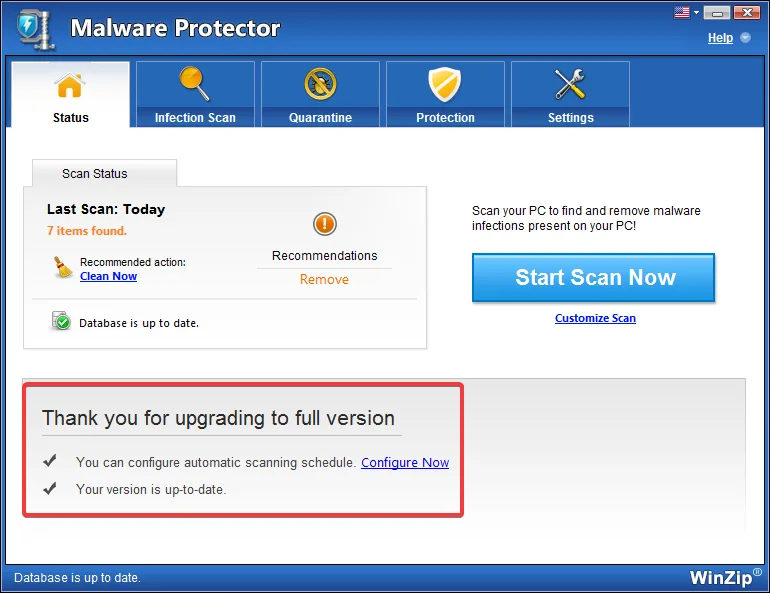
Now run a scan and remove what it finds. See How to Check Your PC for Malware.
If Your Key Is Not Accepted
- Extra spaces: a space at the start or end of the key stops it from working. Delete any spaces.
- Wrong product: each WinZip product needs its own license. Only a WinZip Malware Protector key works here.
- Typing mistakes: copy the key with Ctrl+C and paste it with Ctrl+V. Do not type it.
- Internet or firewall: check that you are online. If you use a firewall, allow WinZip Malware Protector through it. In Windows, open Windows Security, select Firewall & network protection, then Allow an app through firewall.
- Wrong date: a wrong date can make a valid key look expired. Select Start > Settings > Time & language > Date & time and turn on Set time automatically.
Still stuck? Contact our support team. Include your order number.
Frequently Asked Questions
I bought WinZip Malware Protector, so why does it still not remove malware?
The program is most likely not activated yet. Until you enter your license key, it stays in trial mode and asks you to buy or upgrade. Follow the steps on this page to activate it.
Do I need to activate again after I reinstall?
Yes. After you install WinZip Malware Protector again, enter your license key in the new installation.
Where do I find my license key?
It is in the order confirmation email you received after your purchase. Check your spam folder too. You can also request your order history on the Lost Your License Key page.