
WinZip System Utilities Suite
How Do I Create a Schedule to Run System Utilities Suite?
For those who like to schedule their tasks and automatically maintain their computer, System Utilities Suite offers the ability to schedule the Scan and Repair tasks to run once or on a daily or weekly basis.
To schedule the program and explore the list of options available, click the Cog icon in the top-right corner of the System Utilities Suite window and click the Setup Schedule link under Settings.
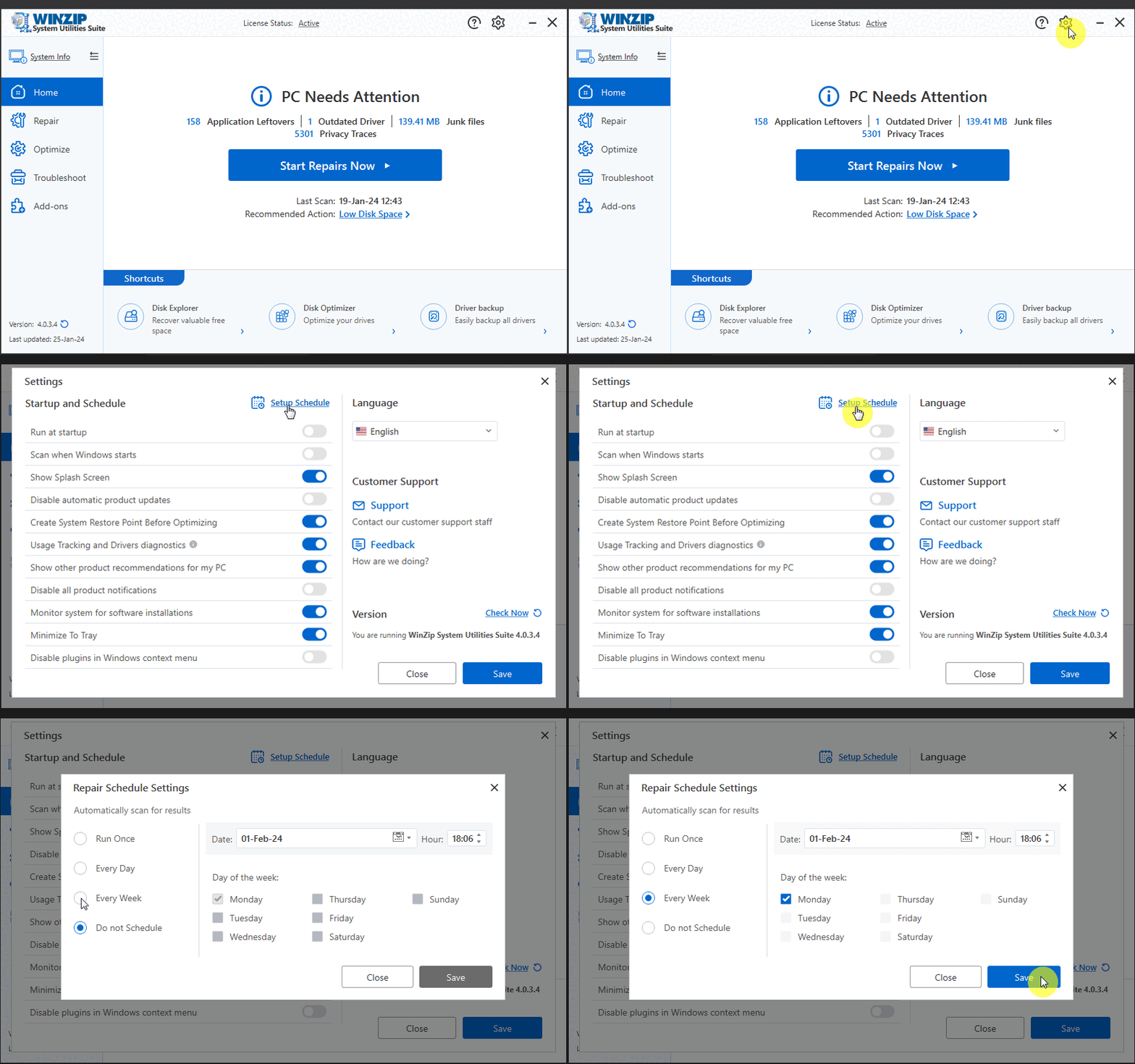
You can now setup a convenient schedule in the type of schedule window and click on the Save button to save your changes.
Related Questions
- How Can I Change the Settings and Preferences of System Utilities Suite?
- How to Change the Language of WinZip System Utilities Suite
- How Do I Check for Program Updates for System Utilities Suite?
- How to Stop WinZip System Utilities Suite from Starting with Windows
- How Do I Repair My PC to Improve Its Performance and Stability?
- How Do I Activate WinZip System Utilities Suite?