
WinZip Mac Optimizer
How Do I Use Quick Cleanup to Clean Unnecessary Files in Mac Optimizer?
No longer sold
WinZip Mac Optimizer is no longer sold. This answer stays here for existing customers.
Quick Cleanup is a set of four tools to easily gain back lost drive space on your Mac. Quick Cleanup contains the following four cleanup methods:
- Binaries Cleanup. This removes unneeded parts of applications.
- Language Cleanup. This removes languages you neither want nor need from your Mac.
- Cache Cleanup. This removes unnecessary system and user cache files.
- Logs Cleanup. This gets rid of system and user log files.
To use Quick Cleanup:
- Launch WinZip Mac Optimizer.
- Click Quick Cleanup.
- Click Start Scan.
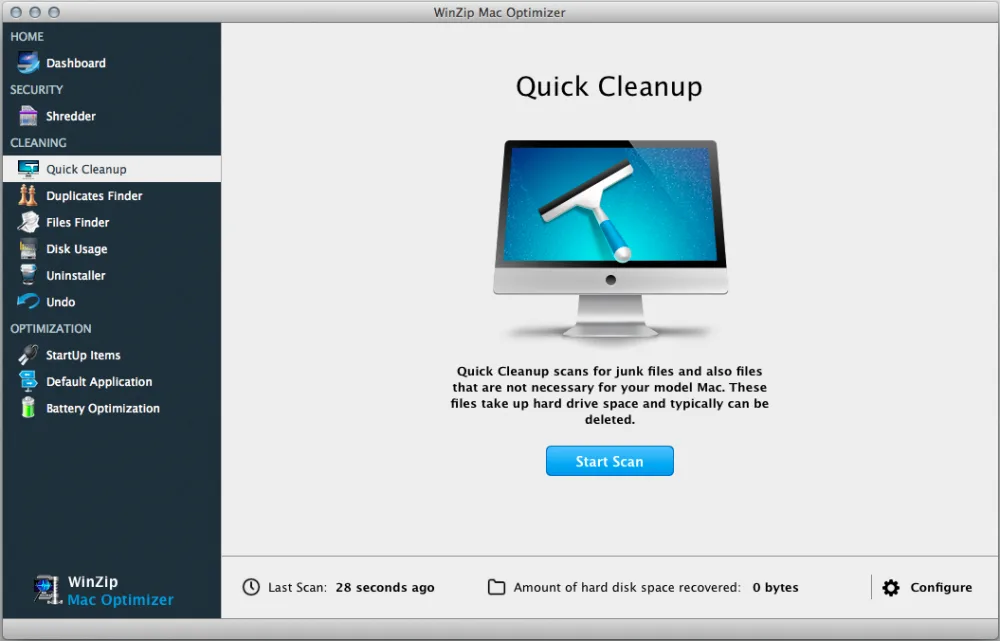
Mac Optimizer will now scan the different areas of your Mac:
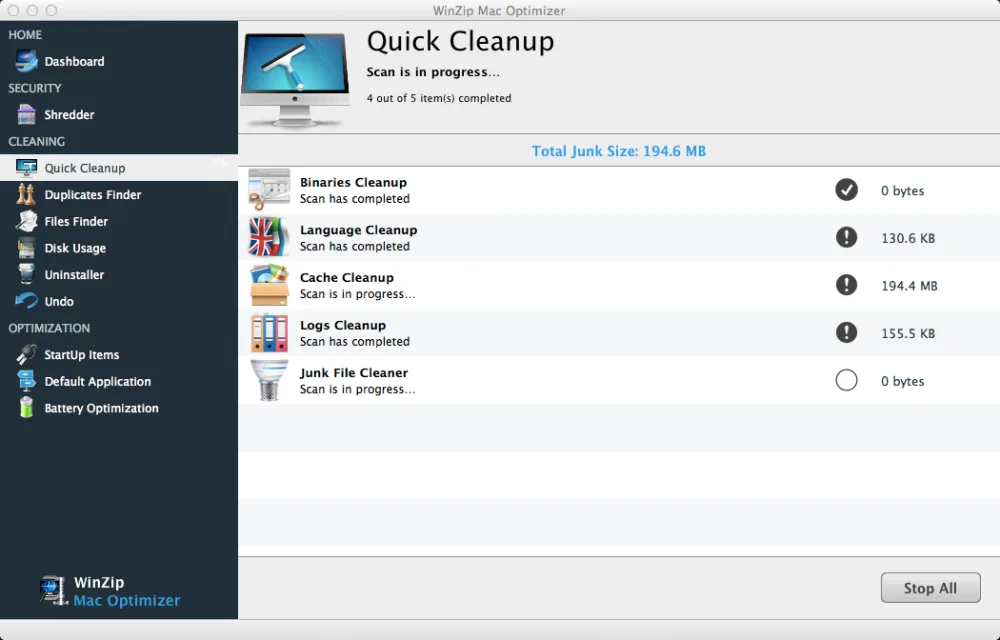
- You should then see the Cleanup scan results for your Mac. Note the Total Junk Size that you’ll be recovering.
- Click Remove Selected to clean the selected areas of your Mac.
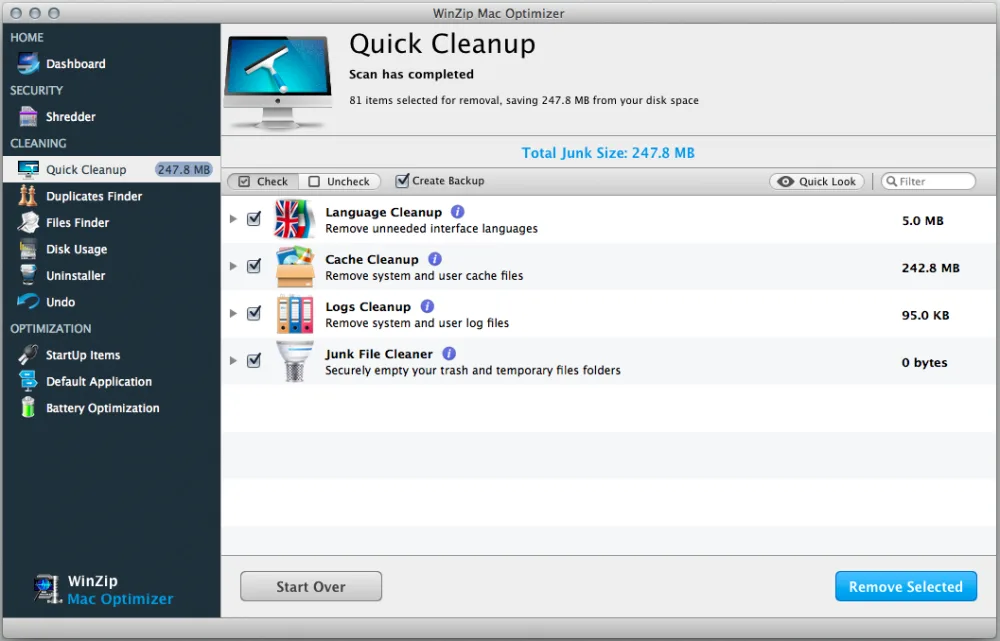
You have successfully cleaned the junk files off your Mac!
Related Questions
- How Do I Change the Default Application to Open a Specific File Extension Using Mac Optimizer?
- How Do I Improve the Startup Speed of My Mac Optimizer?
- How Do I Set Up Battery Optimization Profiles Using Mac Optimizer?
- How Do I Use Disk Usage to Find the Folders and Files That Take Up the Most Space in Mac Optimizer?
- How Do I Use Duplicates Finder to Remove Duplicate Files in Mac Optimizer?
- How Do I Use Files Finder to Find Large Files, or Any Files, in Mac Optimizer?