
WinZip Driver Updater
Can I Exclude a Driver Update from Being Downloaded and Installed?
If for some reason, you choose not to download and install a driver update from the scan results, you have the option of adding the driver update to the Driver Exclusion List of Driver Updater.
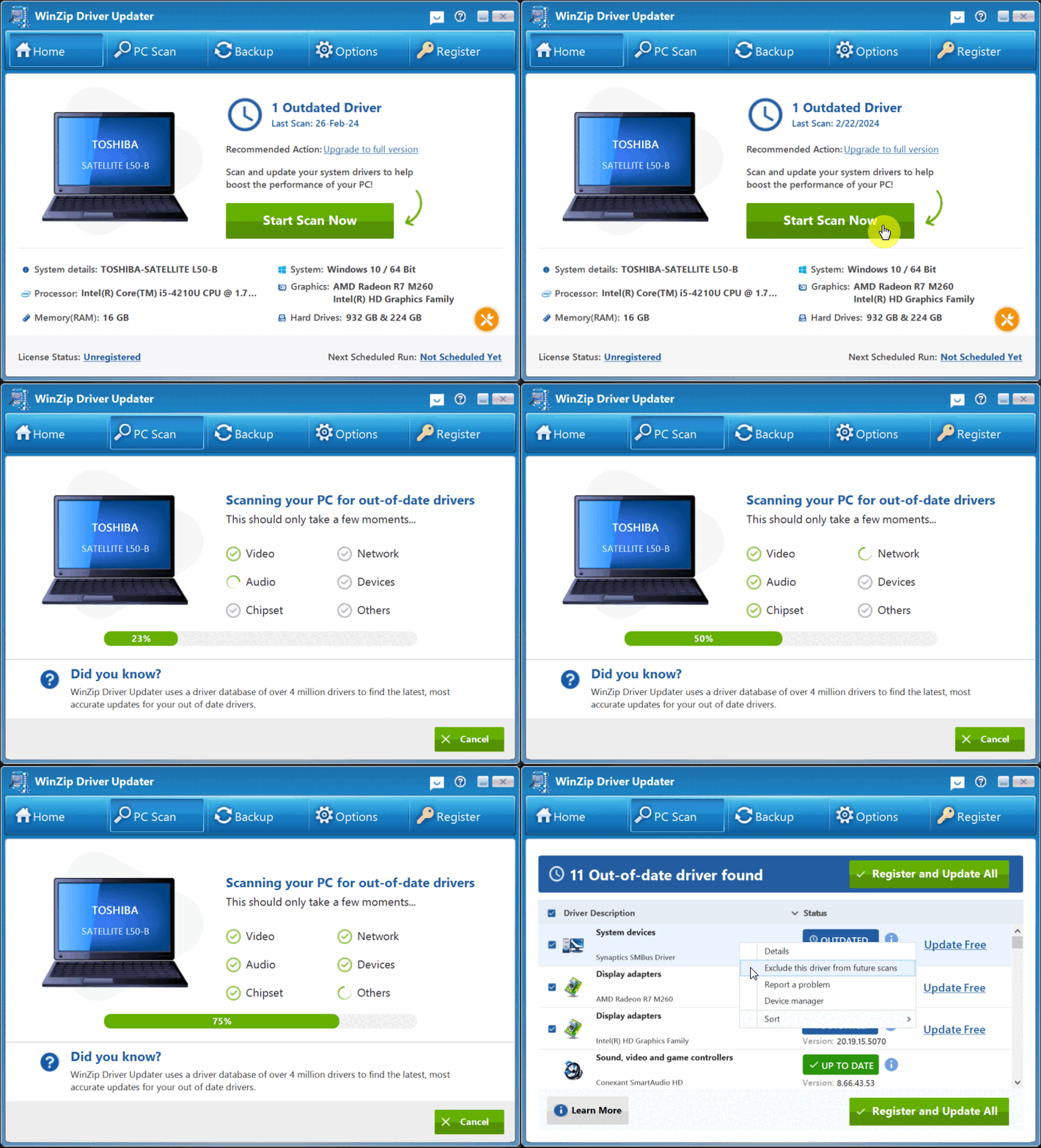
How to exclude a driver update:
- Open WinZip Driver Updater
- Complete a scan for driver updates
- In the scan results window, select and right-click the driver update you want to exclude, click on Exclude this driver from future scans
- This will permanently move the driver update to the Driver Exclusion List of Driver Updater
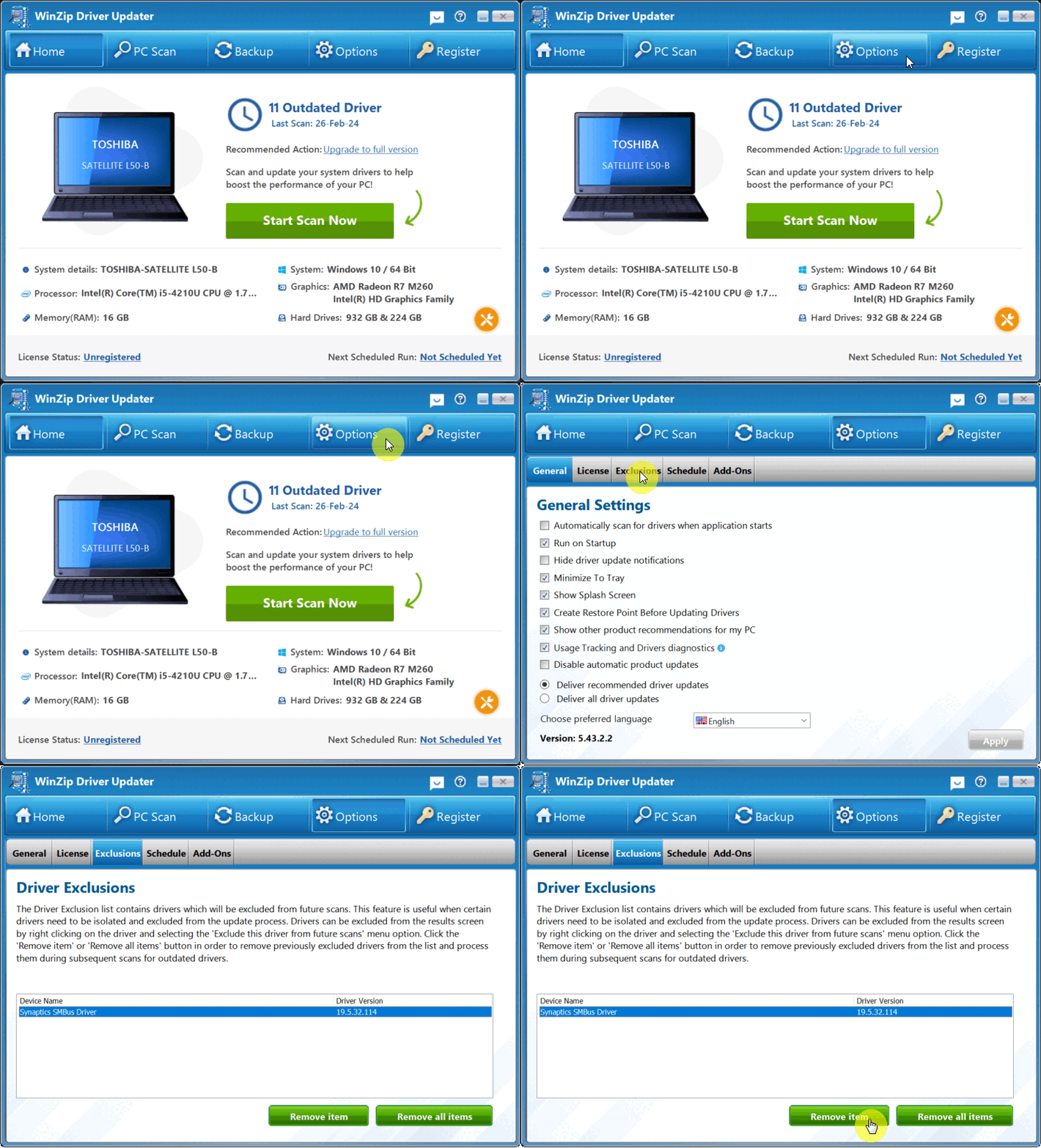
You can always restore the exclusions by visiting the Driver Exclusion List and removing the driver update from there:
Related Questions
- How Do I Create a Schedule to Run Driver Updater?
- How Do I Stop WinZip Driver Updater from Running at Startup?
- How Do I Use WinZip Driver Updater to Update My Drivers? (Quick Guide)
- What Are Device Drivers, and Why Use WinZip Driver Updater?
- How to Upgrade to the Latest Version of WinZip Driver Updater
- How Do I Reinstall Driver Updater on My Computer?