
How Do I Use WinZip Driver Updater to Update My Drivers? (Quick Guide)
Watch this Quick video to learn how to use WinZip Driver Updater to update your drivers:
Alternatively, you can go through quick guide below shows you how WinZip Driver Updater can be used to find and update outdated drivers in 5 easy steps!
1. Launch WinZip Driver Updater and click the Start Scan Now button to start scanning your PC
2. Wait for the scanning process to complete
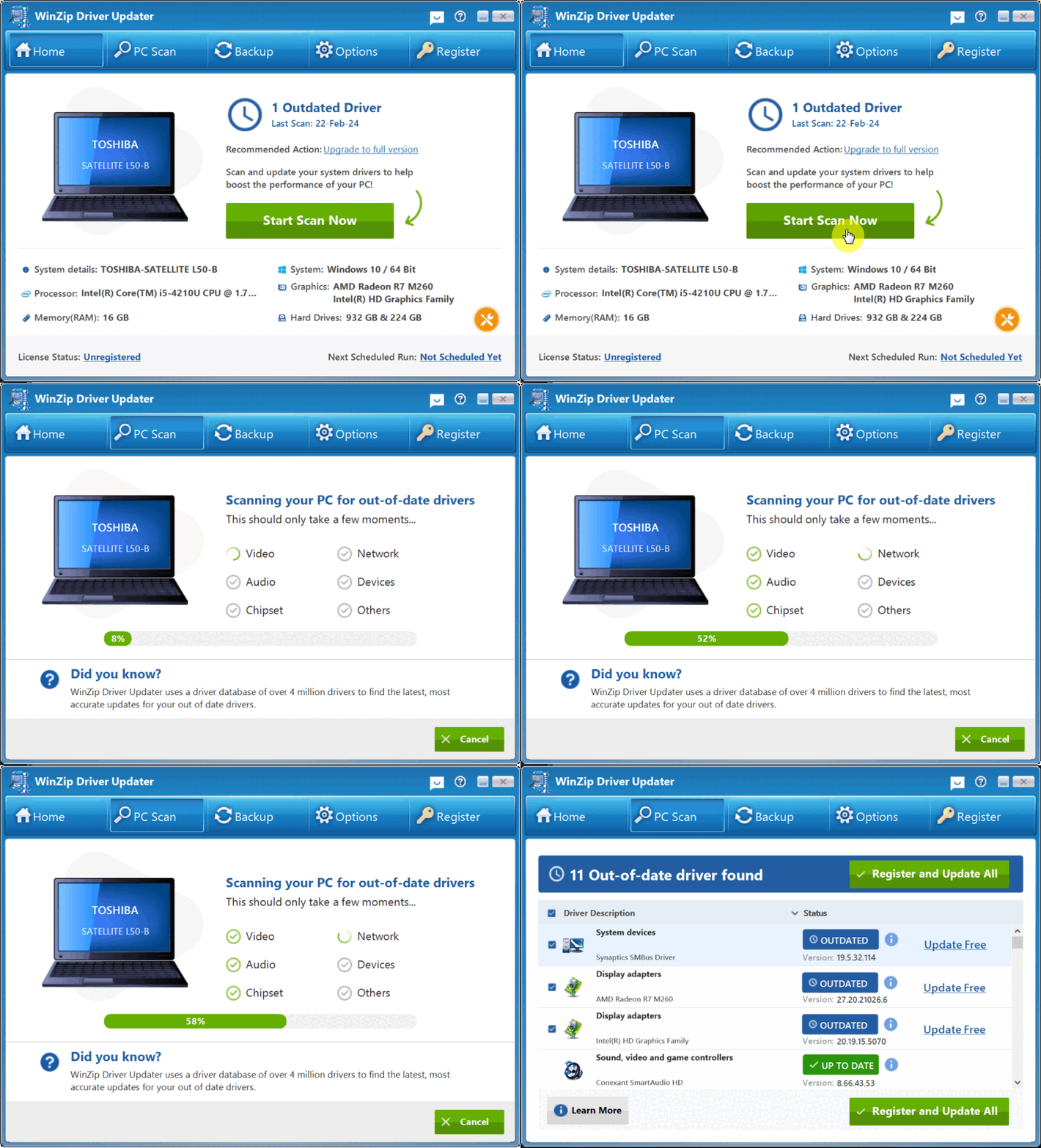
3. Review the scan results and click the Update All button to update all outdated drivers on your computer.
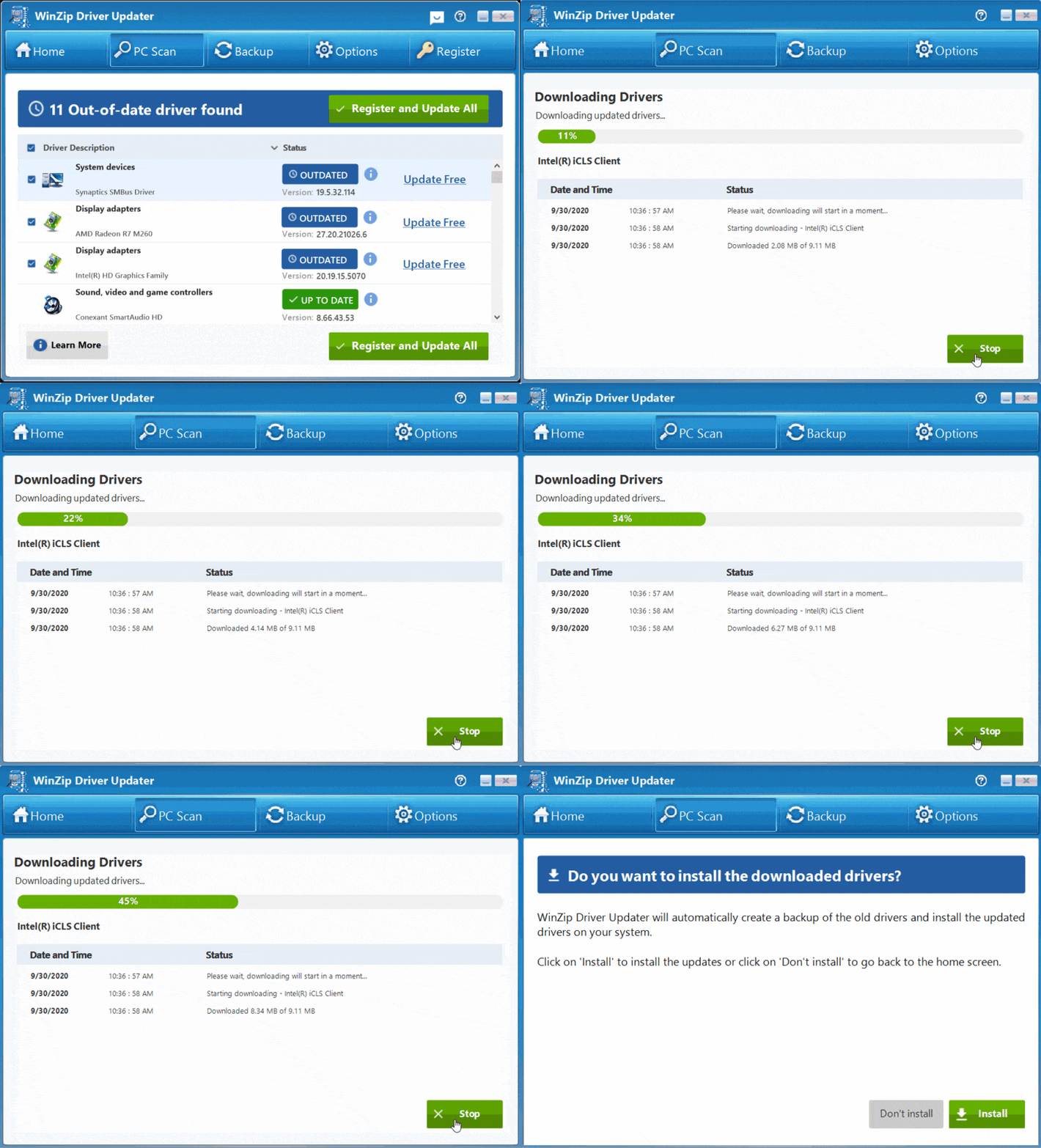
4. WinZip Driver Updater will now download the updates for your drivers, backup your original drivers and then install the latest updates for your computer drivers. This may take a while depending how many drivers you are updating on your computer and the size of the downloads.
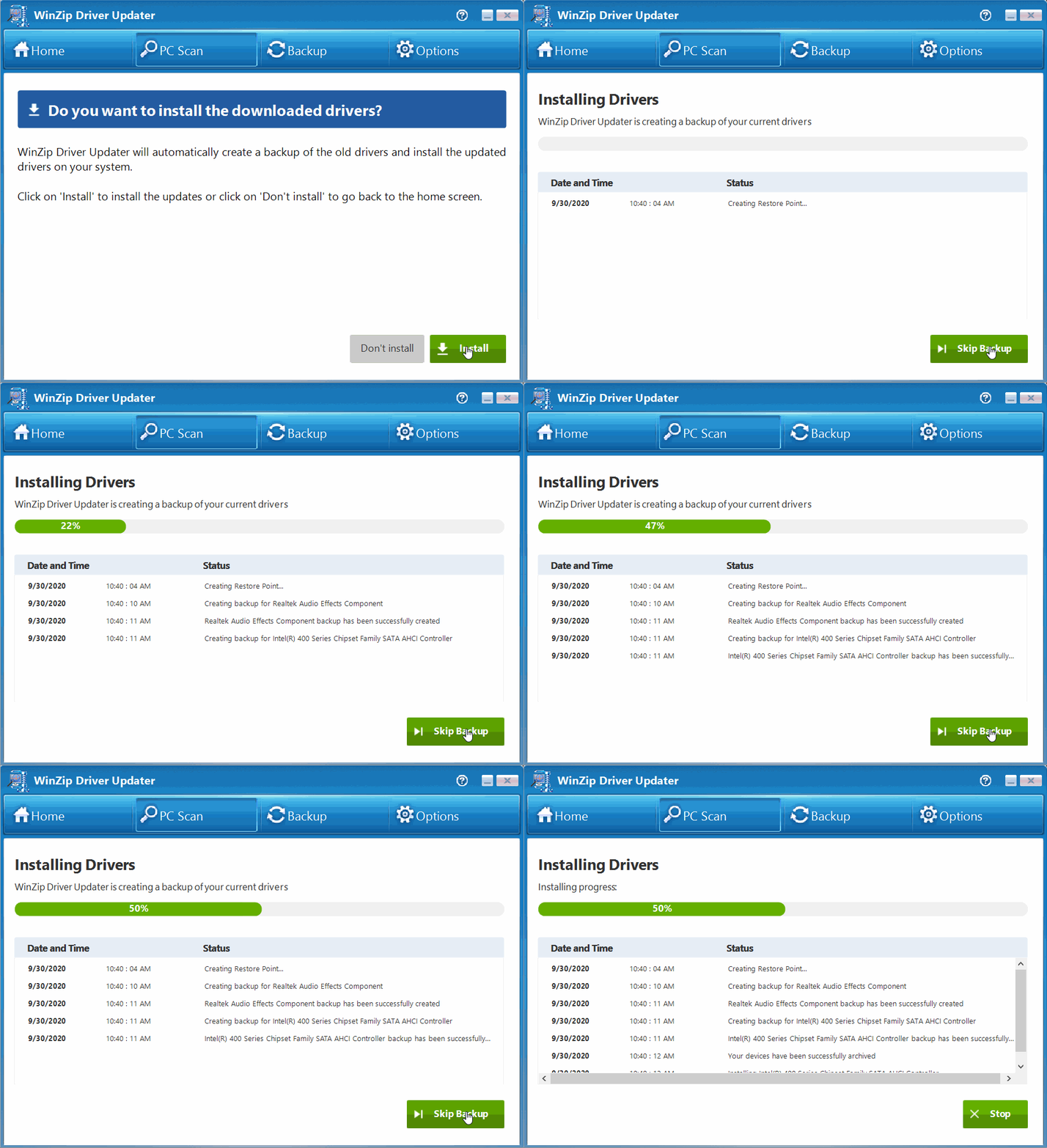
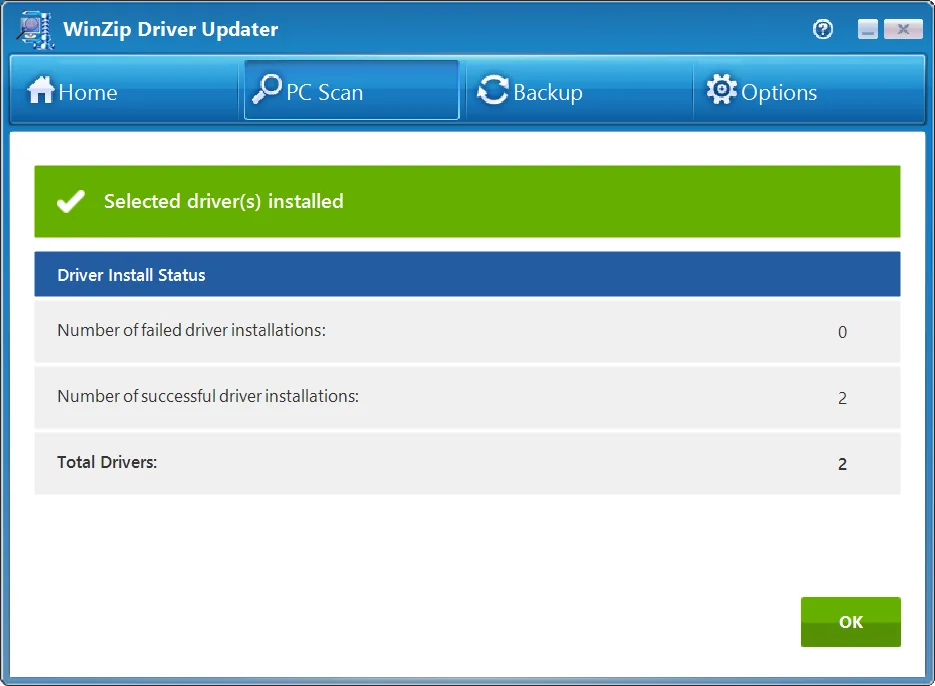
5. Once the updates are installed, you will see a quick summary of your drivers and your PC’s status changes to Excellent.
It’s really as easy as that!
Related Questions
- How to Back Up Your Drivers Before Updating in WinZip Driver Updater
- How to Roll Back Driver Updates in WinZip Driver Updater
- Why Won't WinZip Driver Updater Download and Install Updates After I Bought It?
- Why Can't I Complete a Scan with WinZip Driver Updater?
- What Are Device Drivers, and Why Use WinZip Driver Updater?
- How to Upgrade to the Latest Version of WinZip Driver Updater