
WinZip System Utilities Suite
How to Increase Available Hard Drive Space
Having hard drive space is not only good for being able to save files, it’s useful for Windows to use as virtual memory, meaning that Windows uses some of that space as a temporary memory placeholder in case you max out on memory. Here’s how to free up disk space in just a few simple steps.
Install System Utilities Suite and run Scan
Start your WinZip System Utilities
Step 1: Optimize
In the side menu click “Optimize”
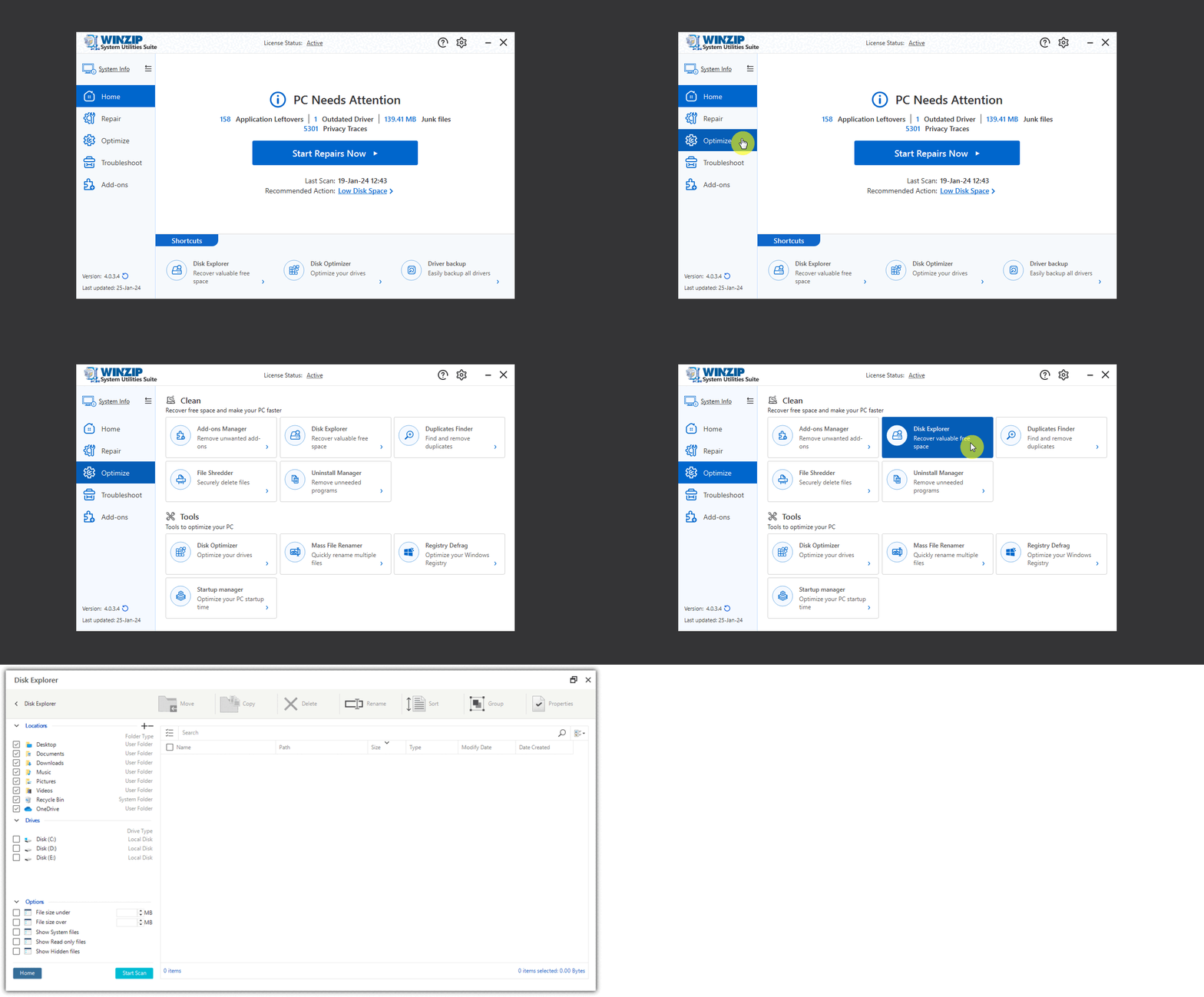
Step 2: Disk Explorer
Click Disk Explorer to automatically generate list of all your files and folders
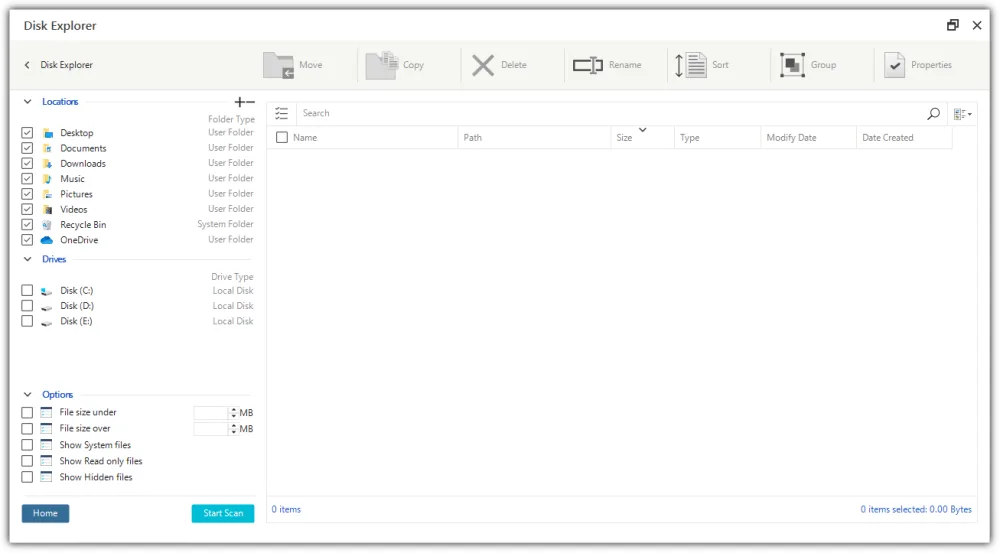
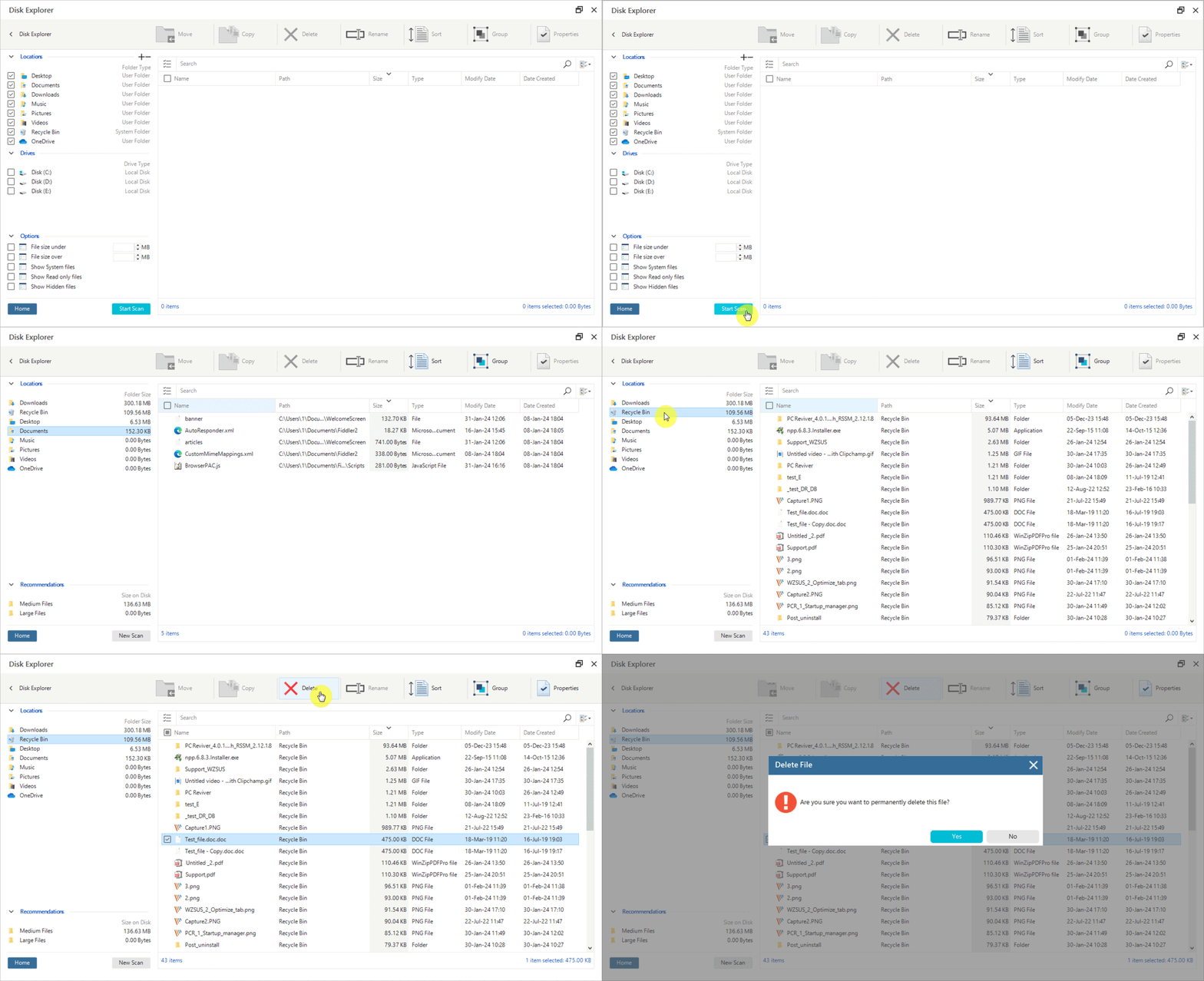
Step 3: Click on Folder
Scan through the files and folders. Select the file or folder and click the delete tab.
Happy Computing
The Winzip Team
Related Questions
- How Can I Get Detailed Information About My PC and Its Hardware?
- How Can I Learn More About the Processes Running on My PC?
- How Do I Backup All My Existing Computer Drivers?
- How Do I Completely Uninstall Unnecessary Programs from My PC?
- How Do I Manage and Improve the Startup Time of My PC?
- How Do I Use the Crash Helper to Troubleshoot Blue Screen Errors and Crashes?