
WinZip System Utilities Suite
How Do I Completely Uninstall Unnecessary Programs from My PC?
System Utilities Suite can help you uninstall and remove unnecessary program from your PC in a few simple clicks. To get started, click on the Optimize in the side menu, then click the Uninstall Manager tile.
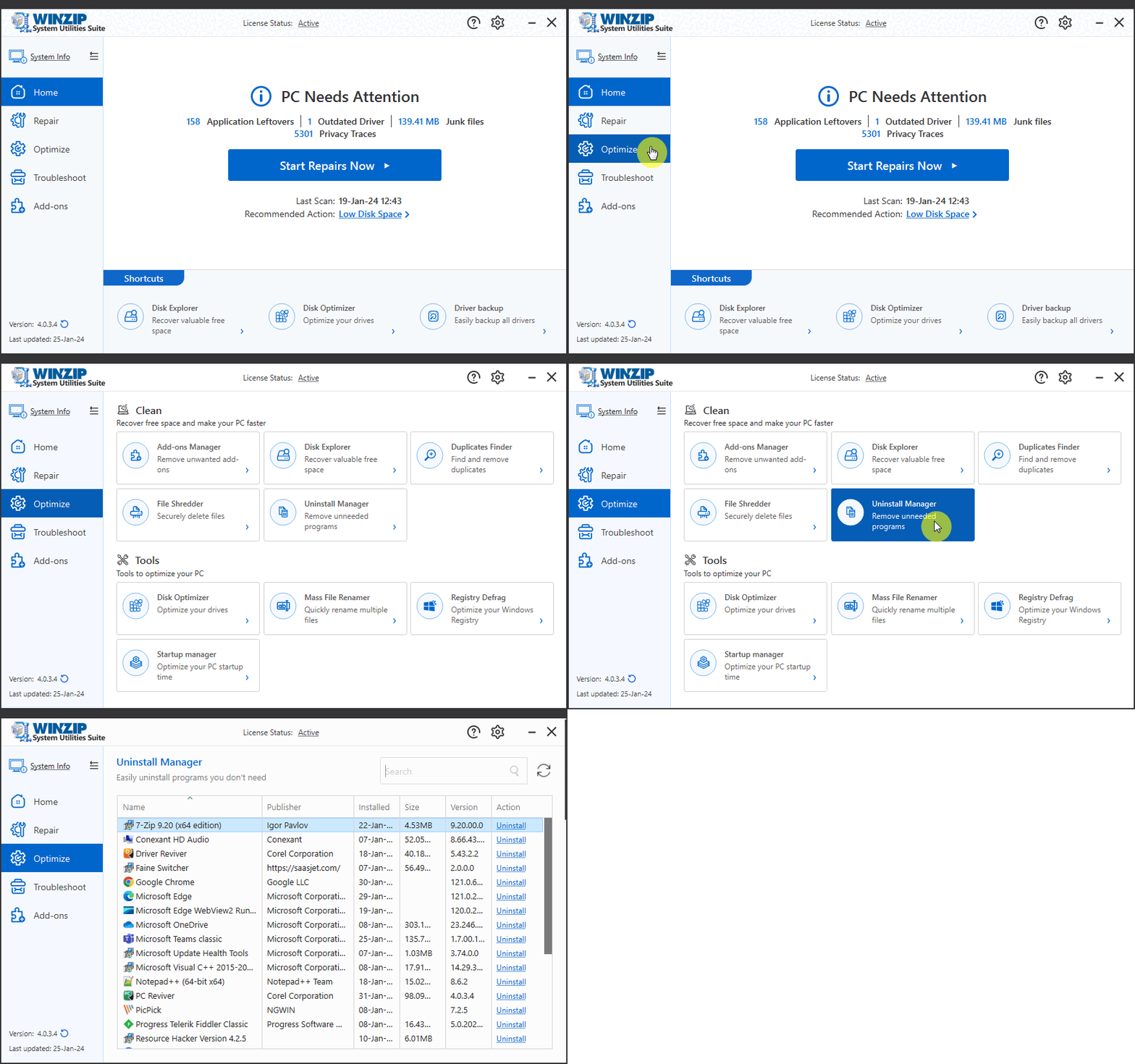
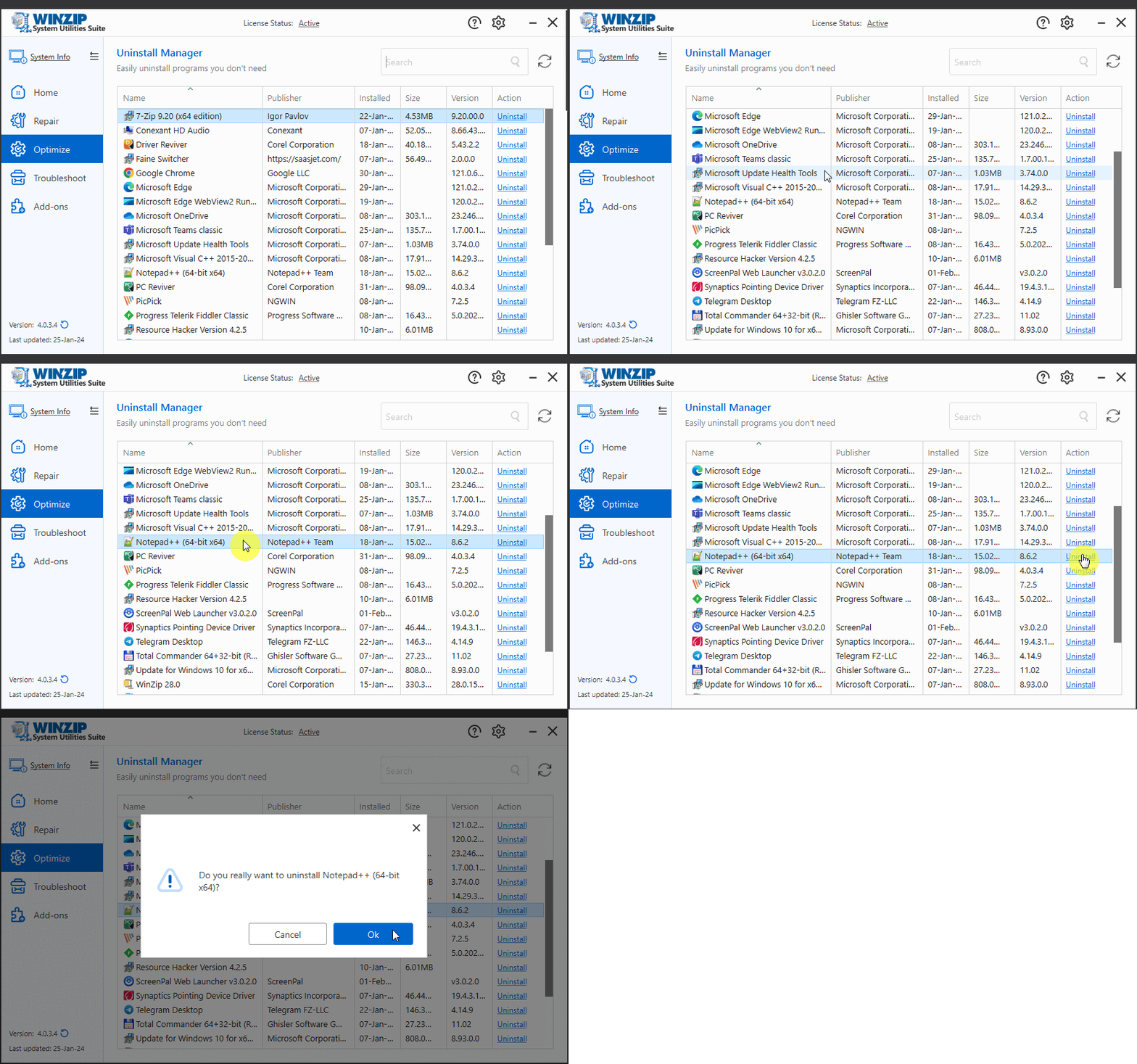
Once you are in the Uninstall Manager window, browse through the list of programs installed on your computer, locate the program(s) you wish to uninstall and click the blue Uninstall text to start the uninstallation process. Follow the onscreen instructions to successfully uninstall the required program(s) from your PC.
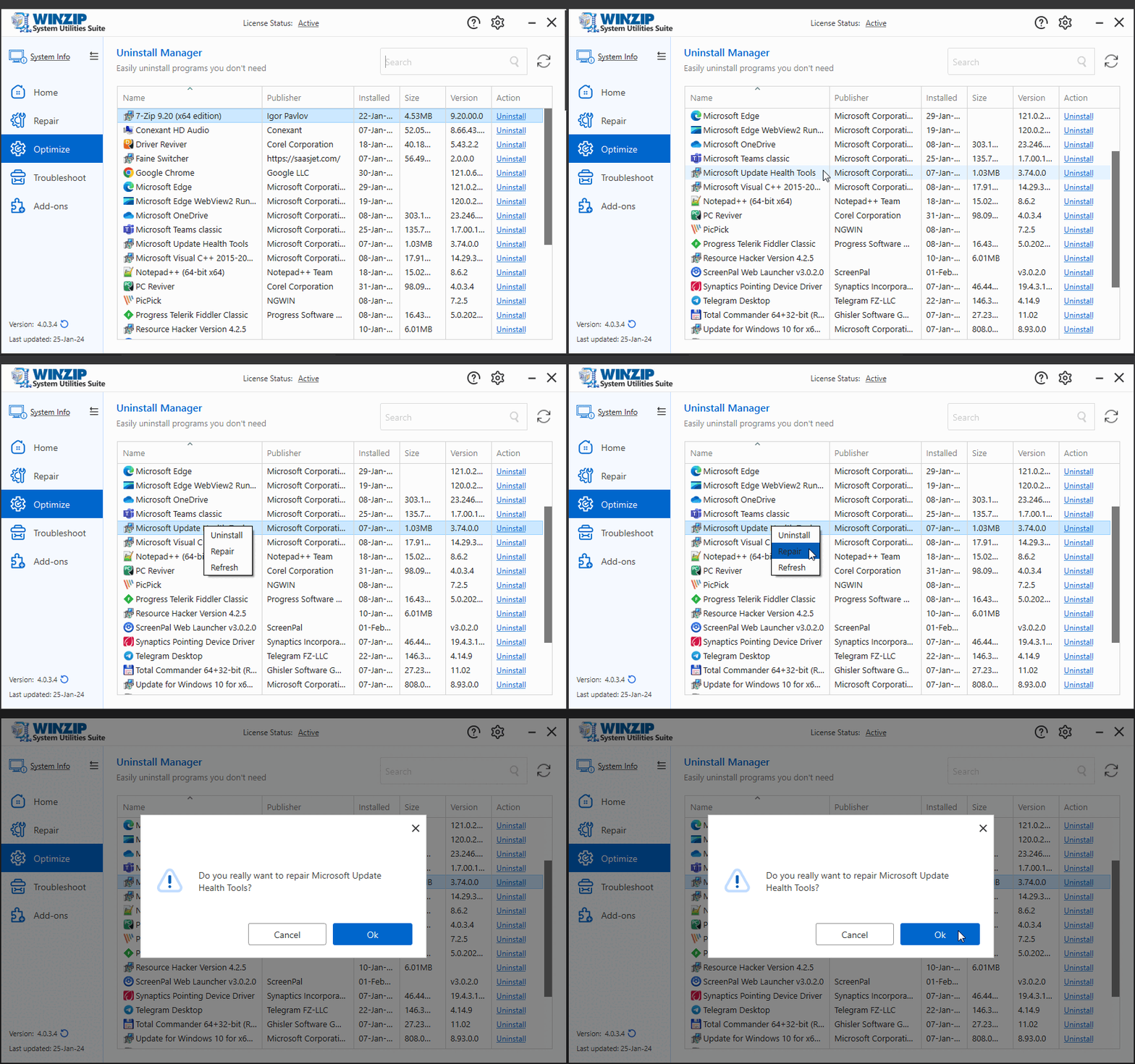
Note: You can also repair an installation by clicking on the Repair text.
Related Questions
- How Can I Get Detailed Information About My PC and Its Hardware?
- How Can I Learn More About the Processes Running on My PC?
- How Do I Backup All My Existing Computer Drivers?
- How Do I Manage and Improve the Startup Time of My PC?
- How Do I Use the Crash Helper to Troubleshoot Blue Screen Errors and Crashes?
- How to Increase Available Hard Drive Space