
WinZip Malware Protector
How Do I Download Updated Definitions Manually?
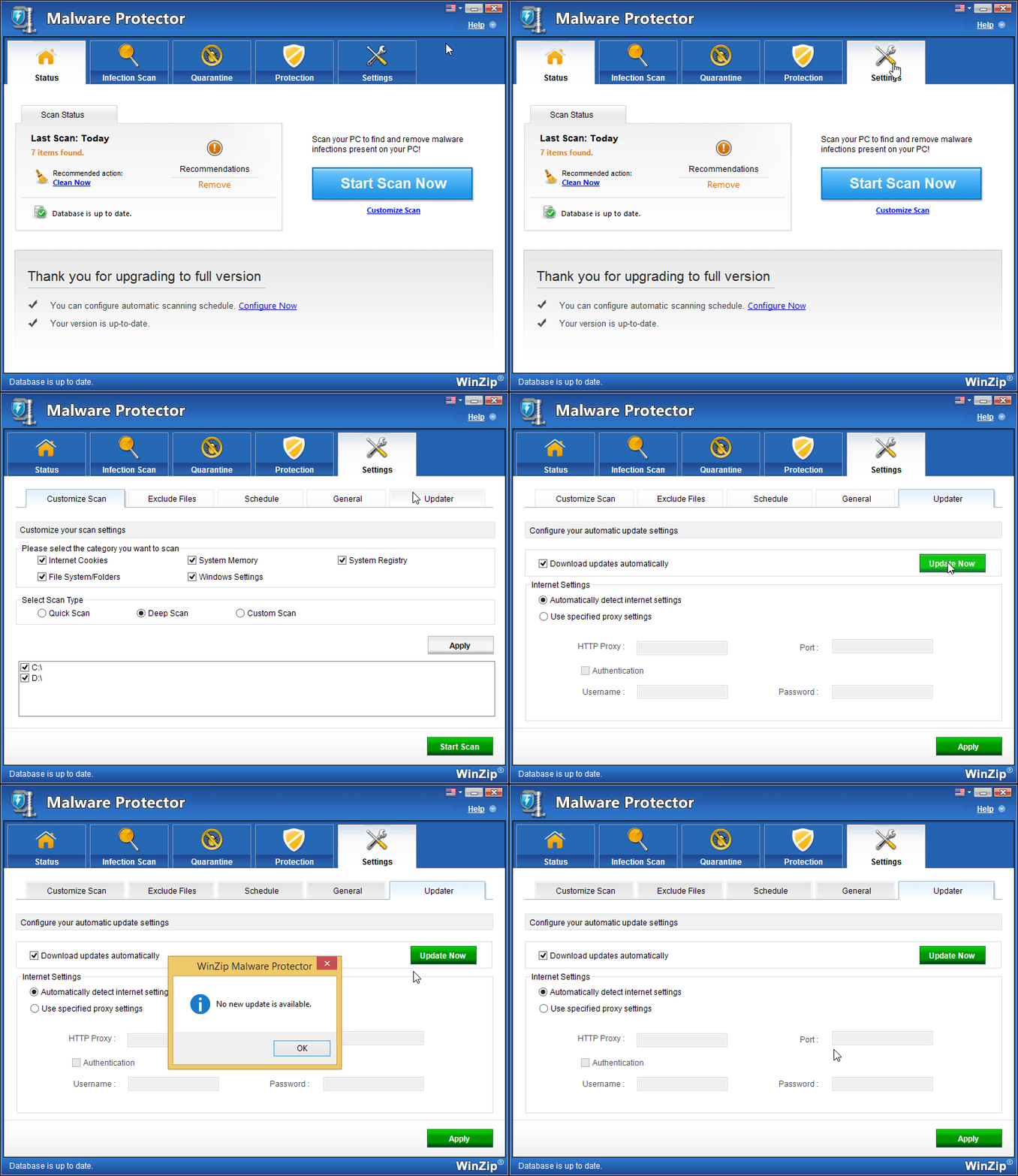
To download the latest definition updates manually, follow the steps below:
- Launch Malware Protector.
- Click on Settings and select the Updater tab.
- Next, click on the Update Now button.
Related Questions
- How Do I Access the Basic Settings of Malware Protector?
- How Do I Create a Schedule to Run Malware Protector?
- How Do I Customize the Scan Settings in Malware Protector?
- How Do I Enable Automatic Definition Updates in Malware Protector?
- How Do I Prevent Malware Protector from Running at Every Startup?
- How to Check Your PC for Malware