
WinZip Mac Optimizer
How Do I Activate or Register My Copy of Mac Optimizer?
No longer sold
WinZip Mac Optimizer is no longer sold. This answer stays here for existing customers.
WinZip Mac Optimizer has many more features included in the full version.
To register your purchased copy of Mac Optimizer:
- Launch Mac Optimizer
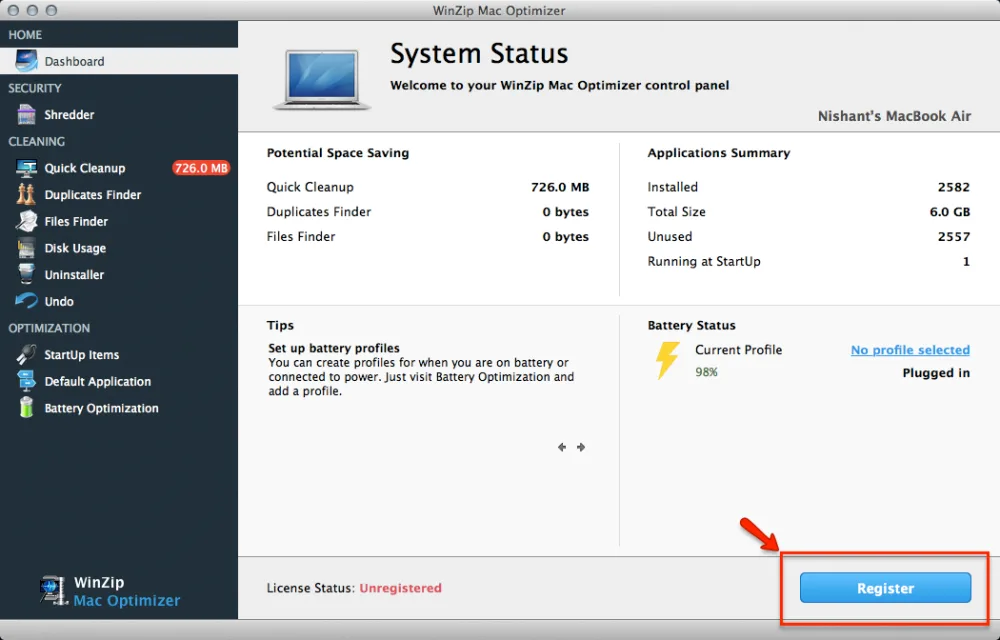
- Click the Register button in the bottom right corner of the Mac Optimizer home screen.
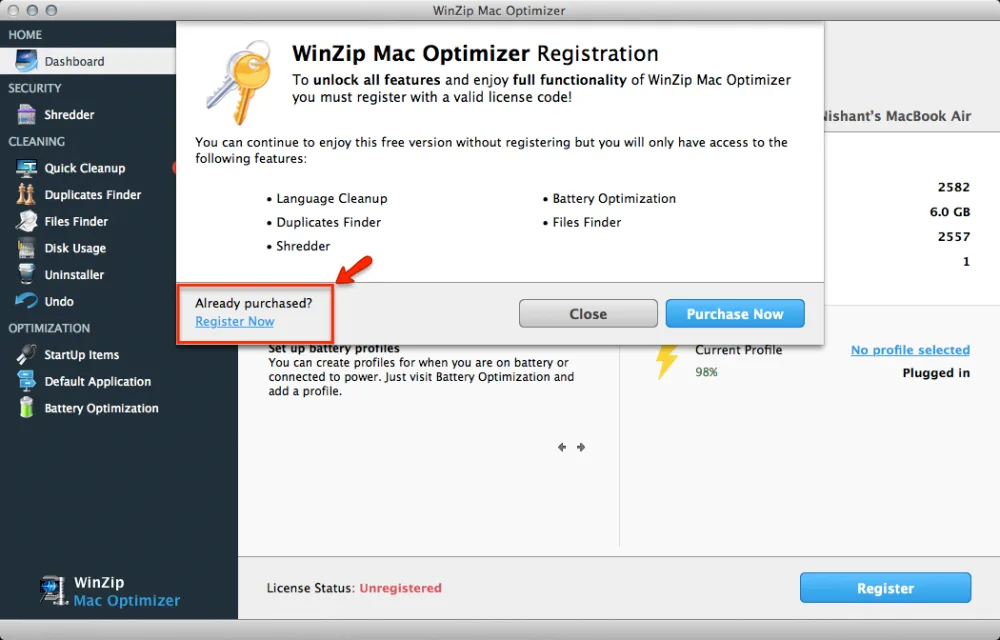
- In the window that appears, click the Register Now text link.
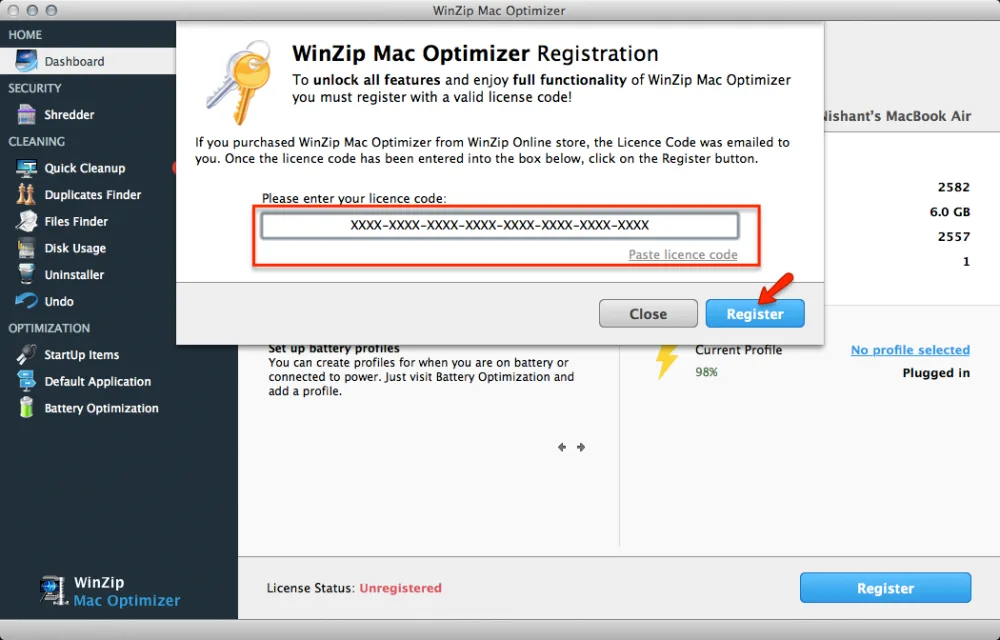
- Next, you will be asked to enter your license code in the space provided.
- Select your license code from the purchase confirmation, copy it (press Command + C) and paste it (press Command + V) into the space provided in the registration window of Mac Optimizer. You can also click the Paste license code link to instantly paste your license details.
- Click Register to complete the registration process.
You have successfully registered WinZip Mac Optimizer and unlocked all features. You will now be able to clean, optimize and maintain your Mac!