
WinZip Registry Optimizer
What Does the Registry Optimizer Function of WinZip Registry Optimizer Do? How Do I Use It?
The Windows Registry is an important part of your Windows Operating System. The Registry Optimizer feature of WinZip Registry Optimizer helps you defrag the Windows Registry completely and optimize it for smooth performance. Using the Registry Optimizer regularly improves your system performance and keeps it running smoothly.
How to use the Registry Optimizer feature:
- Open WinZip Registry Optimizer
- Click on Utilities
- Select Registry Optimizer
- Click on the Optimizer Now button
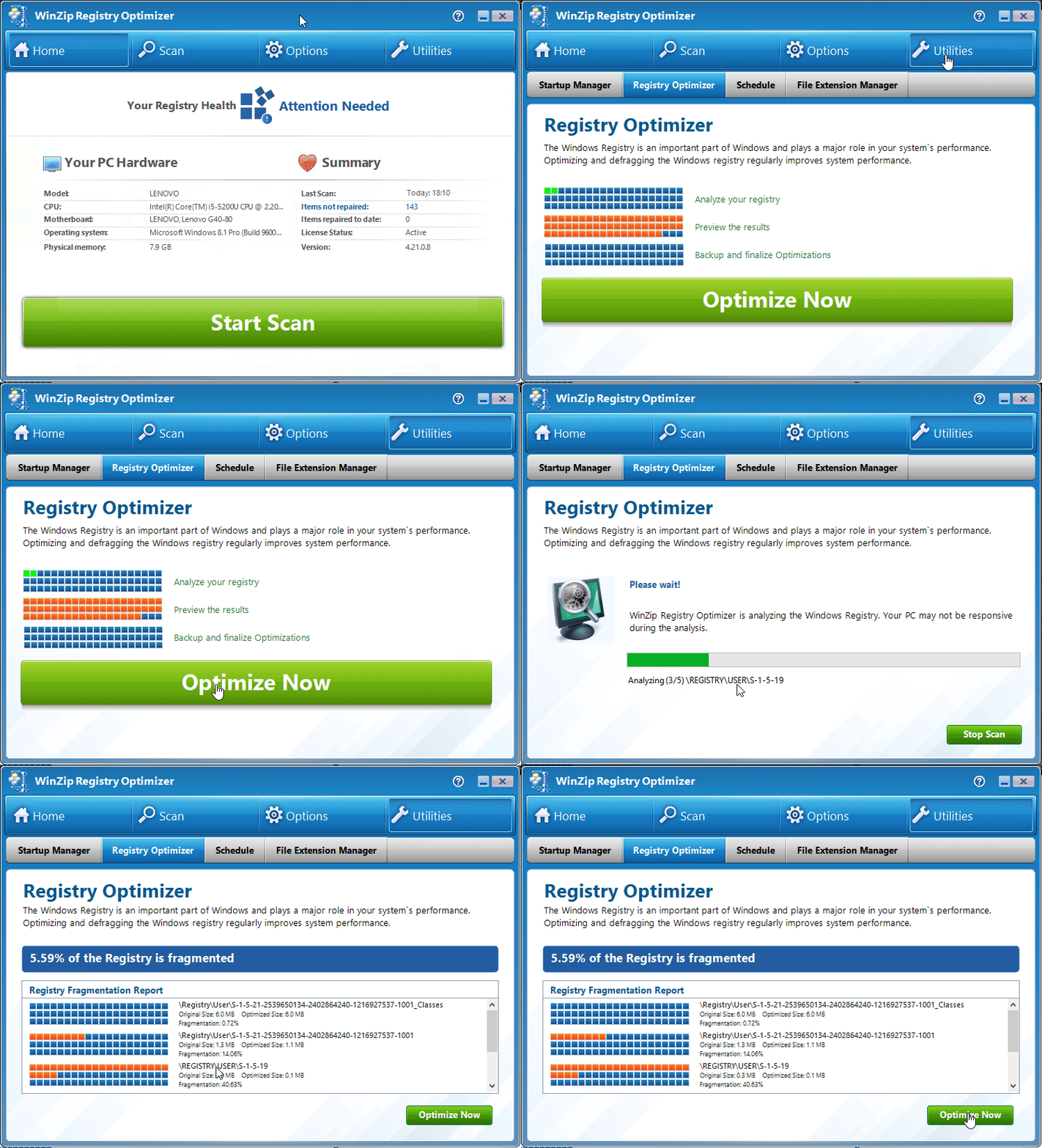
You will now see a progress bar that corresponds to the defragging process.
To complete the defrag and optimization process, it will schedule itself to run during the next system boot. After the process is complete, your computer will automatically start loading the Windows operating system.
Related Questions
- How Do I Exclude or Ignore Registry Issues?
- How Do I Undo or Restore the Registry Repairs?
- How Do I Use Registry Optimizer to Scan for Issues and Repair Them? (Visual Guide)
- How Do I Use the Startup Manager to Improve the Start Up Speed (boot Time) of My Computer?
- I Have Purchased Registry Optimizer but It Will Not Remove the Issues Found
- Registry Optimizer Is Unable to Remove All the Issues Detected and Keeps Showing the Same Issues Every Time.