
WinZip Registry Optimizer
How Do I Uninstall or Remove Registry Optimizer?
In Windows Vista, Win 7 and newer operating systems:
Go to Start > Control Panel > Uninstall a Program > Locate and select WinZip Registry Optimizer in the list shown > click on the “Uninstall/Change” button > Follow the onscreen instructions to uninstall the program
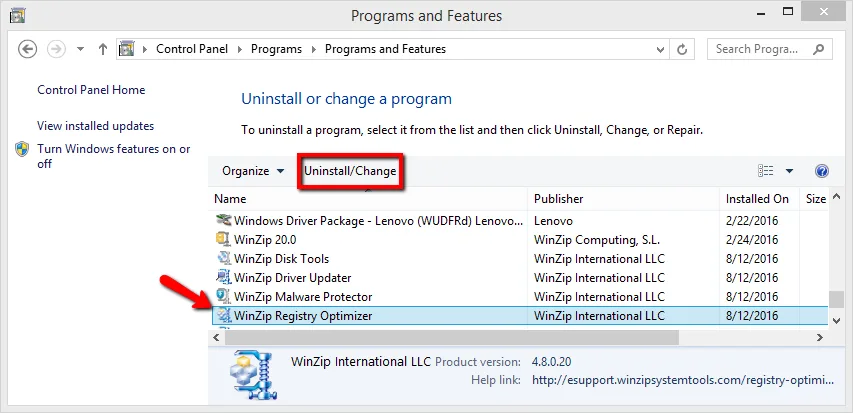
Alternatively, you can uninstall Registry Optimizer from the programs menu:
Start > All Programs > WinZip > WinZip Registry Optimizer > Uninstall Registry Optimizer.
Related Questions
- How Do I Download and Install Registry Optimizer?
- How Do I Reinstall Registry Optimizer on My Computer?
- How Do I Upgrade to the Latest Version of Registry Optimizer?
- How Do I Activate or Register WinZip Registry Optimizer?
- What Is the Windows Registry and Why Use WinZip Registry Optimizer?
- Why Is My WinZip Registry Optimizer License Key Not Accepted?