
How Do I Activate or Register WinZip Registry Optimizer?
Unlock the full version of WinZip Registry Optimizer with the license key from your purchase email.
To activate WinZip Registry Optimizer, copy the license key from your purchase confirmation email, paste it into the License Code box in the program and click Register Now. Activation unlocks the full program so it can repair all the registry items it finds.
Before You Start
- Find your purchase confirmation email. It contains your license key. If you cannot find it, see how to get a lost license code back.
- Make sure your computer is connected to the internet.
- If WinZip Registry Optimizer is not installed yet, download it from the WinZip Registry Optimizer page first.
Activate WinZip Registry Optimizer
- Open WinZip Registry Optimizer.
- Click the key-shaped Register button in the top menu bar.
- In the window that opens, click I already have a license key. The License Details screen opens.
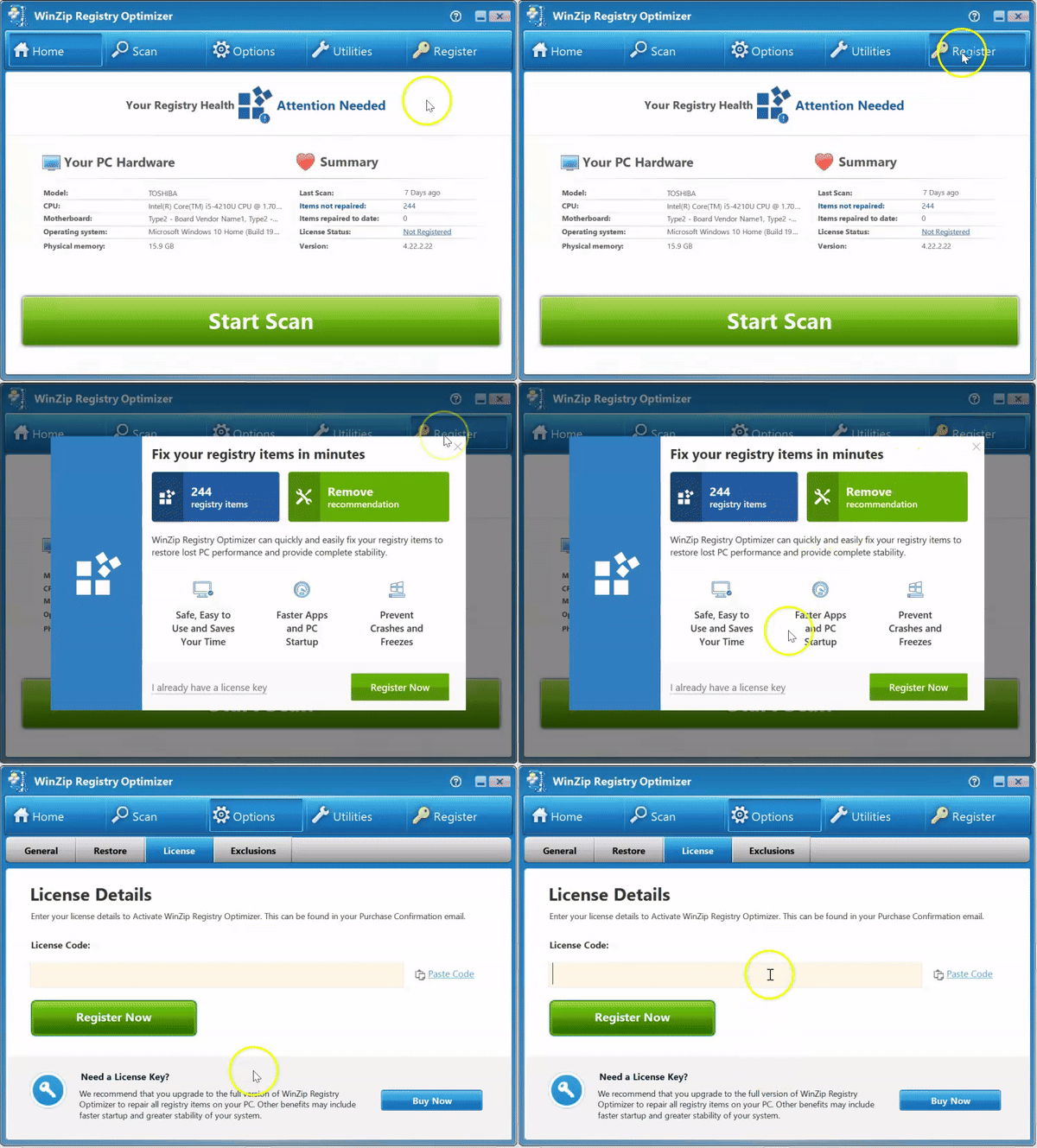
- Open your purchase confirmation email and select the license key. Press Ctrl+C to copy it, or right-click it and select Copy.
- Go back to WinZip Registry Optimizer and click Paste Code next to the License Code box. You can also click in the box and press Ctrl+V.
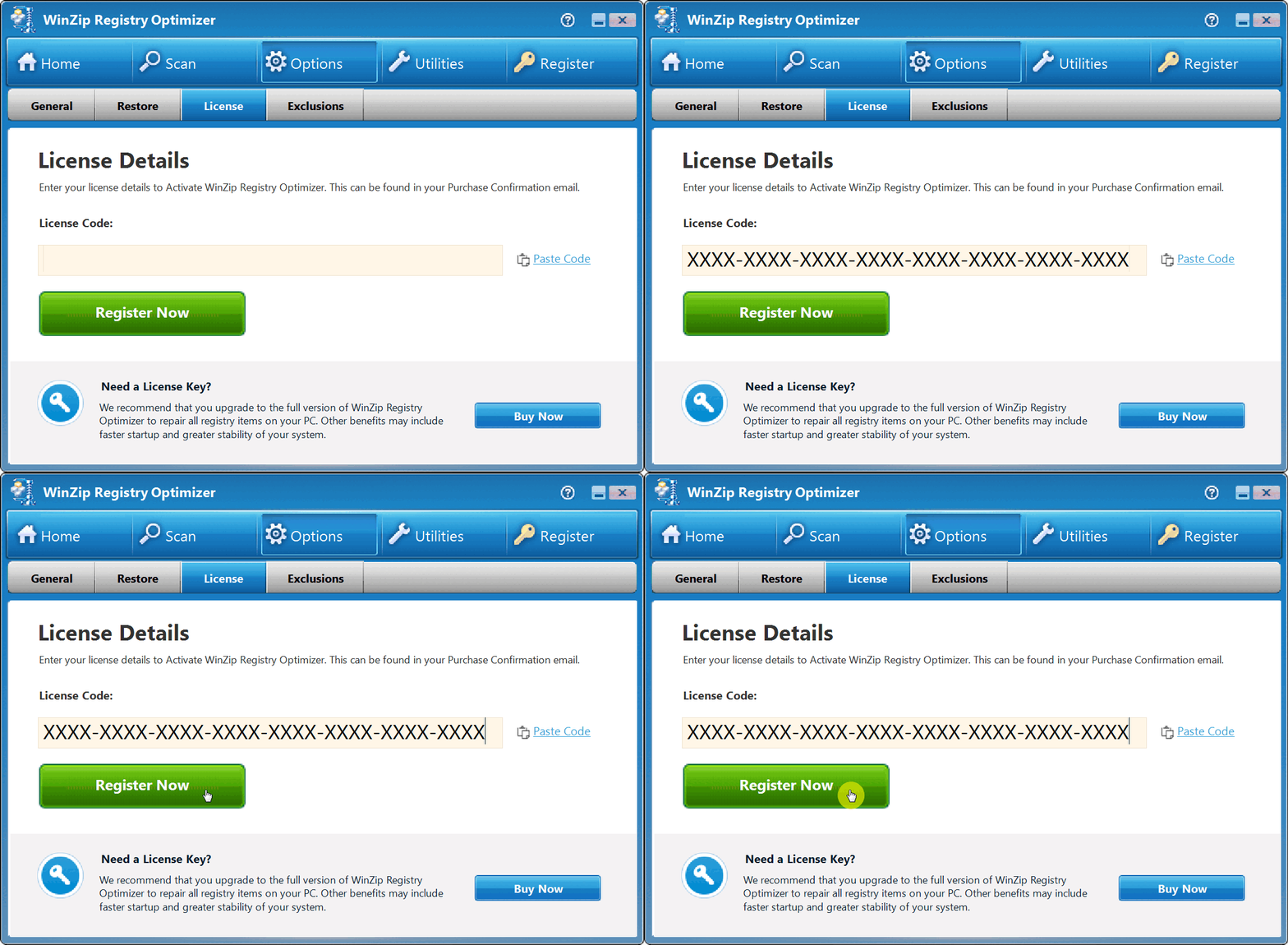
- Click Register Now.
How to Tell It Worked
An Activation Successful message appears and shows the expiration date of your license. Click OK.
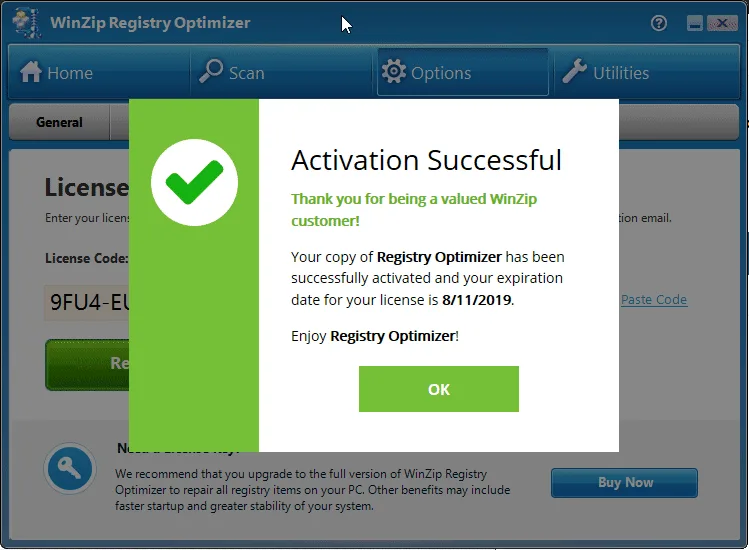
The Register button no longer appears in the top menu bar. To see your license details later, click Options and select the License tab.
If It Didn't Work
- If the program does not accept your key, see why a license key is not accepted.
- If you replaced your computer, changed its hardware or reinstalled Windows, reset your license on the Manage Your License page, then activate again.
- Still stuck? Contact our support team.
Frequently Asked Questions
Where do I find my license key?
It is in the purchase confirmation email you received right after your purchase. Check your spam folder too. If you still cannot find it, enter your purchase email address on our lost license page and we will email you your order history with your license details.
Is the license key the same as the License Code?
Yes. Your purchase email calls it a license key, and WinZip Registry Optimizer asks for it in the License Code box. Paste the same key there.
Do I need to download the program again after I buy a license?
No. Activate the copy that is already installed on your computer. Activation unlocks the full version.
Can I use my license on a new computer?
A license is normally valid for one computer. To move it, reset your license on the Manage Your License page, then install WinZip Registry Optimizer on the new computer and activate it with the same key.
Sources
Related Questions
- How Do I Retrieve a Lost WinZip Registry Optimizer License Code?
- I Have Recently Upgraded My Computer Hardware / Reinstalled the Operating System / Replaced It with a New Computer. What Do I Need to Do?
- I Just Purchased the Product and Have Not Received a Purchase Confirmation with the Necessary Details. What Can I Do?
- Why Is My WinZip Registry Optimizer License Key Not Accepted?
- What Is the Windows Registry and Why Use WinZip Registry Optimizer?
- How Do I Upgrade to the Latest Version of Registry Optimizer?