
WinZip Privacy Protector
How Do I Enable Automatic Updates in Privacy Protector?
You can follow the steps below to ensure that the program receives the latest updates:
- Launch Privacy Protector.
- Click on Settings and select the General tab.
- Ensure that the Check for the update automatically option is turned ON.
- Click on the Apply button to save the settings.
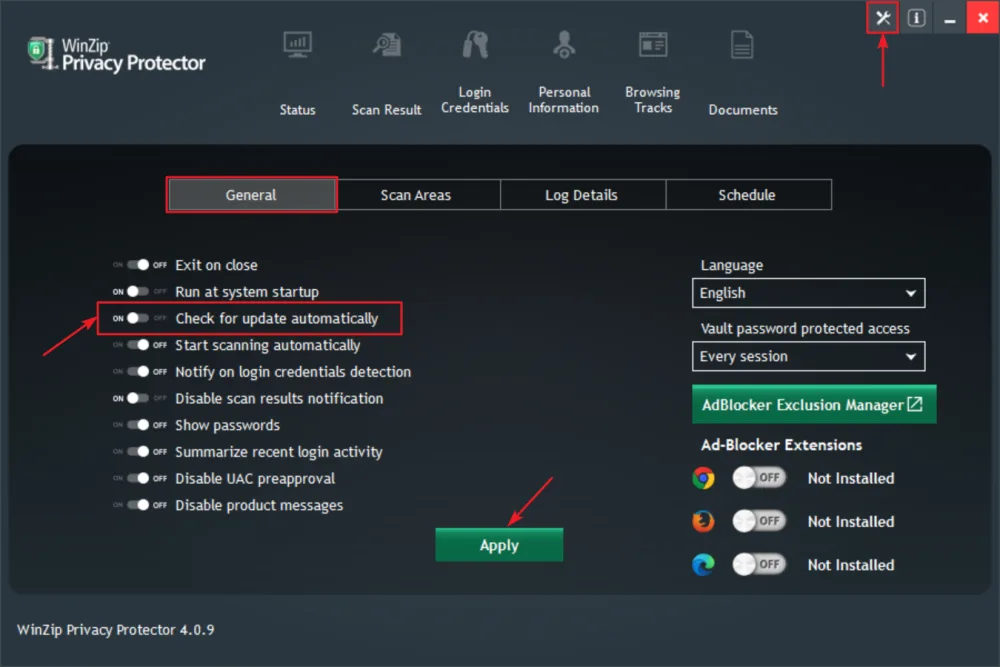
Privacy Protector will now check and install the latest updates automatically!