
WinZip Privacy Protector
How Do I Access the Basic Settings of Privacy Protector?
To access the basic settings of Privacy Protector:
- Launch Privacy Protector
- Click on the Settings button located at the bottom part of the program
- Select the General tab.
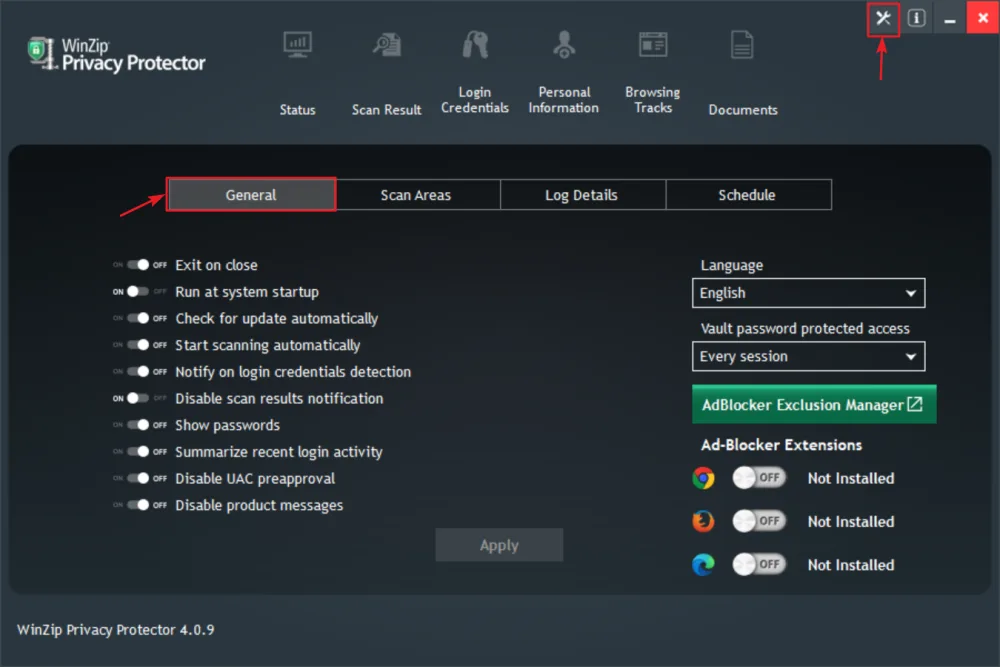
You will now be able to change and save your settings.