
WinZip Disk Tools
How Do I Uninstall or Remove Disk Tools?
Disk Tools is very easy to remove. At WinZip we believe very strongly in allowing people to remove applications that they do not wish to keep. Of course we hope you do not feel this way about Disk Tools but in case you do, here is how to remove it:
In Windows Vista, Win 7 and newer operating systems:
Go to Start > Control Panel > Uninstall a Program > Locate and select Disk Tools in the list shown > click on the “Uninstall/Change” button > Follow the onscreen instructions to uninstall the program
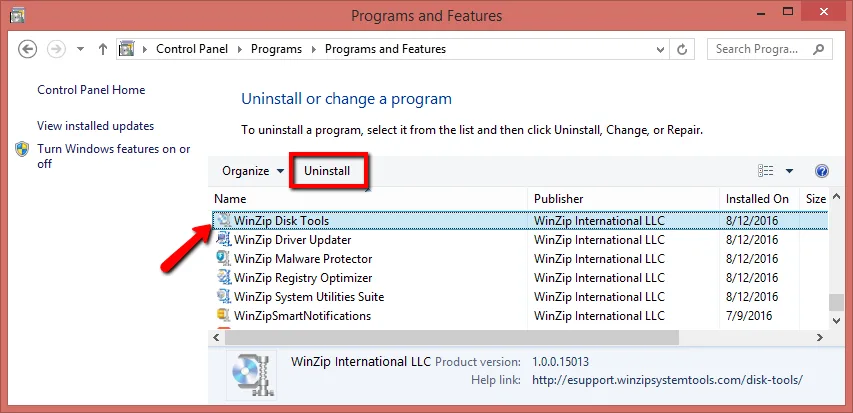
Alternatively, you can uninstall Disk Tools from the programs menu:
Start > All Programs > WinZip Disk Tools > Uninstall Disk Tools.